procedural_textures
Procedural texture images – checkerboards, stripes, dots, gradients, noise.
Every function here returns an [W, H, 5] Color
image, which is exactly what a Surface
takes as its color_texture (and, one channel of it, as a
roughness_texture or a glow_texture):
from algan import *

Sphere(color_texture=get_checkerboard((RED, WHITE))).spawn()
The first axis of the image is the surface’s u parameter and the second its
v, matching color_texture.
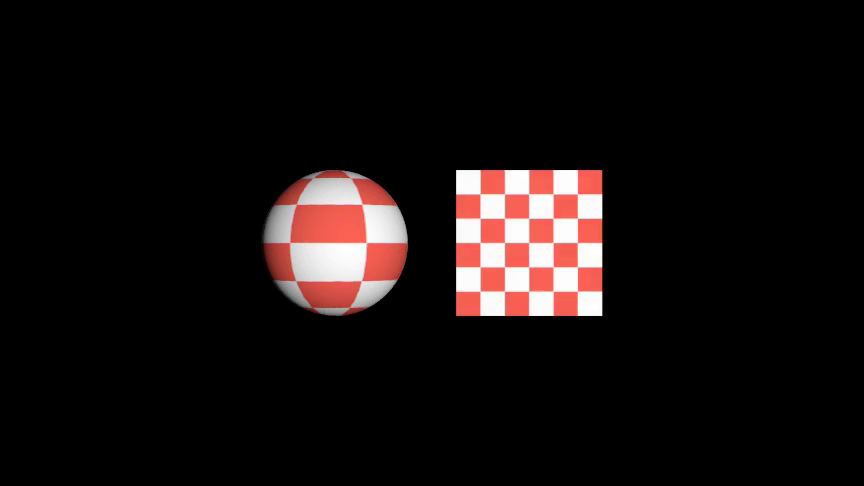
Because the pattern lives in a texture rather than in the mesh, its detail is
independent of the surface’s grid resolution: a flat plane sampled at two
vertices per axis carries as fine a checkerboard as a densely tessellated
sphere, and deforming the surface carries the pattern along with it.
Every generator takes a texture_resolution – the size of the image in
texels – separately from the count of pattern cells. The renderer samples the
map bilinearly, so a pattern needs several texels per cell to read as a hard
edge rather than a gradient; the defaults give 32.
Functions
- get_bricks(colors=('#9C4A32', '#B35A3F'), resolution=(6, 12), *, mortar_color=Color([0.2667, 0.2667, 0.2667, 0.0000, 1.0000]), mortar_width=0.06, offset=0.5, texture_resolution=None)[source]
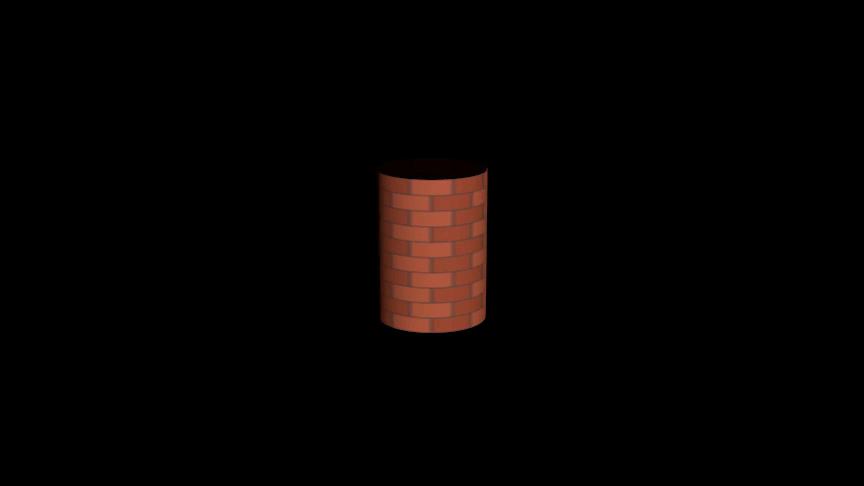
Build a running-bond brick texture, as an
[W, H, 5]color image.Every other course is shifted along
uso the joints do not line up, which is what makes a brick wall read as one rather than as a grid.- Parameters:
colors – The colors the bricks cycle through, or a single color for a uniform wall. Each is an Algan
Color, a named constant such asBLUE, or anythingColor()accepts. Defaults to two clay browns,("#9C4A32", "#B35A3F").resolution (int | tuple[int, int]) – How many bricks the wall has, as
(u_bricks, v_courses)or one number for both. Defaults to(6, 12), six bricks across each of twelve courses.mortar_color – Color of the joints between them. Defaults to
GRAY_D.mortar_width (float) – Thickness of a joint as a fraction of one brick, from
0to1. Defaults to0.06.offset (float) – How far each alternate course is shifted along
u, as a fraction of one brick. Defaults to0.5, the half-brick running bond;0stacks the courses.texture_resolution (int | tuple[int, int] | None) – Size of the generated image in texels, as
(width, height)or one number for both. Defaults toNone, meaning 32 texels per brick, bounded to64–1024per axis.
- Returns:
The texture, shape
[W, H, 5].- Return type:
- Raises:
AlganConfigurationError – If
colorsholds no colors, or a count is below its minimum.
Examples
A brick column:
Example: Example1GetBricks 
from algan import *

Cylinder(
    radius=0.9,
    height=2.5,
    color_texture=get_bricks(resolution=(8, 10)),
).rotate(15, RIGHT).spawn()

Scene.save_video()
- get_checkerboard(colors=(Color([1., 1., 1., 0., 1.]), Color([0., 0., 0., 0., 1.])), resolution=8, *, texture_resolution=None)[source]
Build a checkerboard texture, as an
[W, H, 5]color image.The square a texel falls in is colored by
(u_index + v_index) % len(colors), so two colors give the usual checkerboard and three or more give diagonal stripes.Pass the result as a surface’s
color_texture. The pattern is carried in the surface’s(u, v)domain, so it is as fine on a flat two-triangle quad as on a densely tessellated sphere, and it follows the surface as it deforms.- Parameters:
colors – The colors to alternate between: a sequence of two or more, or a single color for a plain fill. Each is an Algan
Color, a named constant such asBLUE, or anythingColor()accepts. Defaults to(WHITE, BLACK).resolution (int | tuple[int, int]) – How many squares the pattern has, as
(u_squares, v_squares)or one number for both. Defaults to8, an 8x8 board.texture_resolution (int | tuple[int, int] | None) – Size of the generated image in texels, as
(width, height)or one number for both. Defaults toNone, meaning 32 texels per square, bounded to64–1024per axis.
- Returns:
The texture, shape
[W, H, 5]: the first axis isu, the secondv, and the five channels are(R, G, B, glow, alpha).- Return type:
- Raises:
AlganConfigurationError – If
colorsholds no colors, or a count is below its minimum.
See also
get_stripes()Bands rather than squares.
color_textureWhere the image goes.
set_checkerboard_colors()The same look painted on the mesh’s own vertices instead.
Examples
A checkered sphere, and a flat plane carrying the same board – the pattern comes from the texture, so the two-triangle plane is as detailed as the sphere:
Example: Example1GetCheckerboard 
from algan import *
import torch

def plane(uv):
    xy = (uv - 0.5) * 2.4
    return torch.cat((xy, torch.zeros_like(uv[..., :1])), -1)

checker = get_checkerboard((RED, WHITE), resolution=6)
Sphere(radius=1.2, color_texture=checker).move(LEFT * 1.6).spawn()
Surface(plane, grid_width=2, grid_height=2, color_texture=checker).move(
    RIGHT * 1.6
).spawn()

Scene.save_video()
- get_gradient(colors=(Color([0., 0., 0., 0., 1.]), Color([1., 1., 1., 0., 1.])), *, angle=0.0, texture_resolution=None)[source]
Build a linear color ramp, as an
[W, H, 5]color image.The colors are spread evenly along the ramp, one stop each, and interpolated between – all five channels of them, so a ramp from an opaque color to
TRANSPARENTfades a surface out along an axis.- Parameters:
colors – The color stops, in order along the ramp. Each is an Algan
Color, a named constant such asBLUE, or anythingColor()accepts. Defaults to(BLACK, WHITE).angle (float) – Direction the ramp runs, in degrees, measured from the
uaxis towardsv. Defaults to0, running alongu.texture_resolution (int | tuple[int, int] | None) – Size of the generated image in texels, as
(width, height)or one number for both. Defaults toNone, meaning256square.
- Returns:
The texture, shape
[W, H, 5].- Return type:
- Raises:
AlganConfigurationError – If
colorsholds no colors.
See also
get_radial_gradient()The same ramp spread out from a point.
Examples
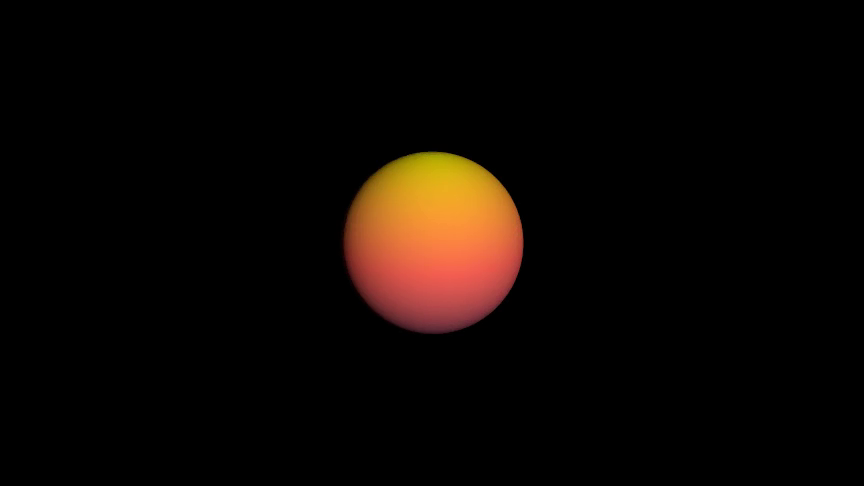
A sunset-graded sphere:
Example: Example1GetGradient 
from algan import *

Sphere(
    radius=1.5,
    color_texture=get_gradient((PURPLE_E, RED, YELLOW), angle=90),
).rotate(20, RIGHT).spawn()

Scene.save_video()
- get_grid_lines(line_color=Color([1., 1., 1., 0., 1.]), background_color=Color([0., 0., 0., 0., 1.]), resolution=8, *, line_width=0.08, texture_resolution=None)[source]
Build a texture of grid lines over a flat background.
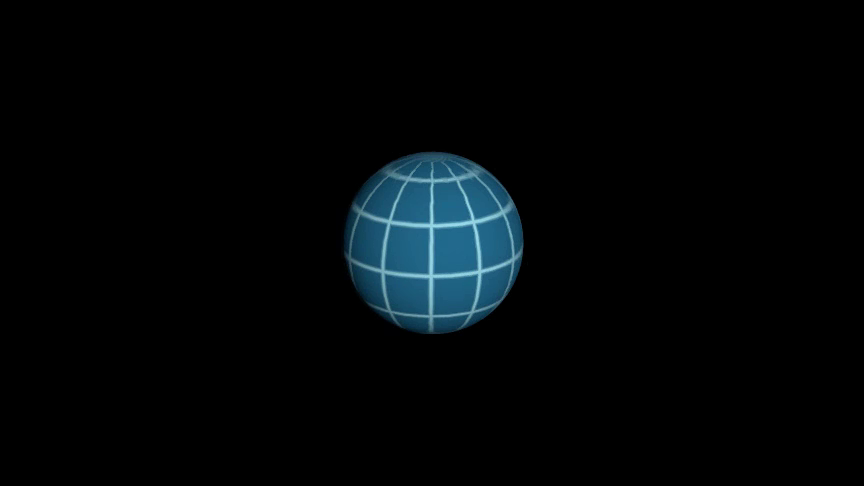
The lines sit on the cell boundaries, so a graph-paper surface reads its own
(u, v)parameterization: latitude and longitude on a sphere, a wire grid on a plotted saddle.- Parameters:
line_color – Color of the lines. An Algan
Color, a named constant such asBLUE, or anythingColor()accepts. Defaults toWHITE.background_color – Color of the cells between them, in the same forms. Defaults to
BLACK. PassTRANSPARENTfor lines over a see-through surface.resolution (int | tuple[int, int]) – How many cells the grid has, as
(u_cells, v_cells)or one number for both. Defaults to8.line_width (float) – Thickness of a line as a fraction of one cell, from
0to1. Defaults to0.08.texture_resolution (int | tuple[int, int] | None) – Size of the generated image in texels, as
(width, height)or one number for both. Defaults toNone, meaning 32 texels per cell, bounded to64–1024per axis.
- Returns:
The texture, shape
[W, H, 5].- Return type:
- Raises:
AlganConfigurationError – If a color is unreadable, or a count is below its minimum.
Examples
A wireframe globe:
Example: Example1GetGridLines 
from algan import *

Sphere(
    radius=1.5,
    color_texture=get_grid_lines(BLUE_B, BLUE_E, resolution=(12, 6)),
).rotate(20, RIGHT).spawn()

Scene.save_video()
- get_noise(colors=(Color([0., 0., 0., 0., 1.]), Color([1., 1., 1., 0., 1.])), resolution=8, *, octaves=4, persistence=0.5, seed=None, texture_resolution=None)[source]
Build a fractal value-noise texture, as an
[W, H, 5]color image.Smooth random values are drawn on a lattice and summed over successively finer, weaker octaves – clouds, marble, rust, a rough-looking roughness map. The lattice wraps, so the image tiles seamlessly on an axis where the surface closes on itself.
- Parameters:
colors – The color stops the noise value is mapped through, from lowest to highest. Each is an Algan
Color, a named constant such asBLUE, or anythingColor()accepts. Defaults to(BLACK, WHITE), a greyscale field.resolution (int | tuple[int, int]) – Lattice size of the coarsest octave, as
(u_cells, v_cells)or one number for both. Defaults to8.octaves (int) – How many times the lattice is doubled and added in at half the weight. Defaults to
4.1gives plain smooth blobs.persistence (float) – How much weight each octave keeps relative to the one before, from
0to1. Defaults to0.5; higher is rougher.seed (int | None) – Seed for the random lattice, so a texture can be reproduced. Defaults to
None, meaning a fresh pattern on every call.texture_resolution (int | tuple[int, int] | None) – Size of the generated image in texels, as
(width, height)or one number for both. Defaults toNone, meaning 32 texels per lattice cell, bounded to64–1024per axis.
- Returns:
The texture, shape
[W, H, 5].- Return type:
- Raises:
AlganConfigurationError – If
colorsholds no colors, or a count is below its minimum.
Examples
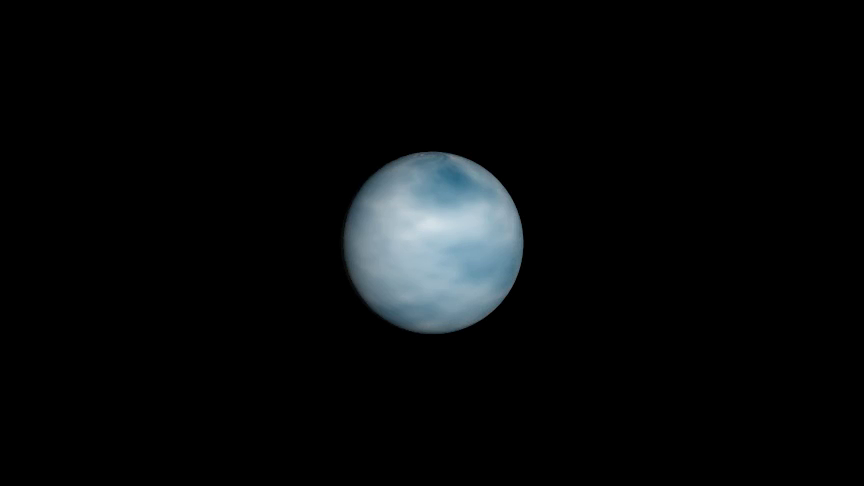
A cloudy planet:
Example: Example1GetNoise 
from algan import *

Sphere(
    radius=1.5,
    color_texture=get_noise((BLUE_E, WHITE), resolution=6, seed=7),
).rotate(20, RIGHT).spawn()

Scene.save_video()
- get_polka_dots(dot_color=Color([1., 1., 1., 0., 1.]), background_color=Color([0., 0., 0., 0., 1.]), resolution=8, *, radius=0.3, texture_resolution=None)[source]
Build a texture of evenly spaced dots over a flat background.
- Parameters:
dot_color – Color of the dots. An Algan
Color, a named constant such asBLUE, or anythingColor()accepts. Defaults toWHITE.background_color – Color behind them, in the same forms. Defaults to
BLACK.resolution (int | tuple[int, int]) – How many dots the pattern has, as
(u_dots, v_dots)or one number for both. Defaults to8.radius (float) – Radius of a dot as a fraction of one cell, from
0to0.5(at0.5neighbouring dots touch). Defaults to0.3.texture_resolution (int | tuple[int, int] | None) – Size of the generated image in texels, as
(width, height)or one number for both. Defaults toNone, meaning 32 texels per dot, bounded to64–1024per axis.
- Returns:
The texture, shape
[W, H, 5].- Return type:
- Raises:
AlganConfigurationError – If a color is unreadable, or a count is below its minimum.
Examples
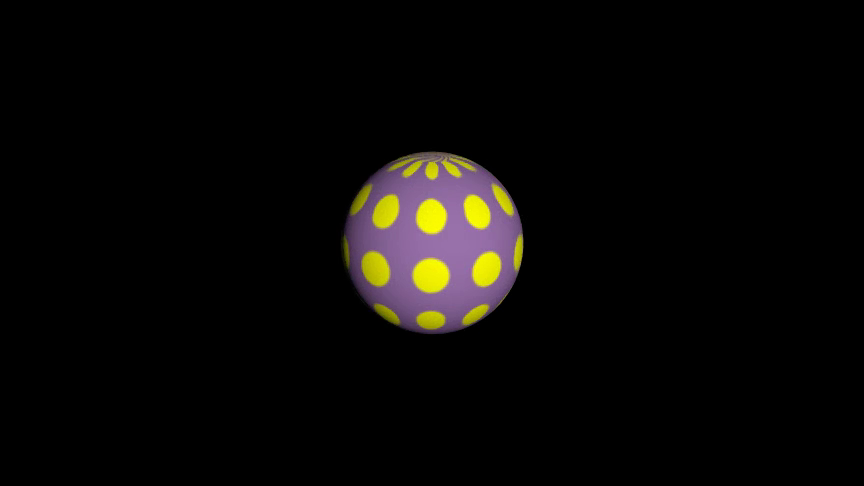
A spotted ball:
Example: Example1GetPolkaDots 
from algan import *

Sphere(
    radius=1.5,
    color_texture=get_polka_dots(YELLOW, PURPLE, resolution=(10, 5)),
).rotate(20, RIGHT).spawn()

Scene.save_video()
- get_radial_gradient(colors=(Color([1., 1., 1., 0., 1.]), Color([0., 0., 0., 0., 1.])), *, center=(0.5, 0.5), radius=0.5, texture_resolution=None)[source]
Build a radial color ramp, as an
[W, H, 5]color image.The first color sits at the center and the last at
radiusand beyond.- Parameters:
colors – The color stops, from the center outwards. Each is an Algan
Color, a named constant such asBLUE, or anythingColor()accepts. Defaults to(WHITE, BLACK).center (tuple[float, float]) – Where the ramp starts, as
(u, v)in[0, 1]. Defaults to(0.5, 0.5), the middle of the domain.radius (float) – Distance from the center at which the last color is reached, in the same
[0, 1]units. Defaults to0.5.texture_resolution (int | tuple[int, int] | None) – Size of the generated image in texels, as
(width, height)or one number for both. Defaults toNone, meaning256square.
- Returns:
The texture, shape
[W, H, 5].- Return type:
- Raises:
AlganConfigurationError – If
colorsholds no colors.
Examples
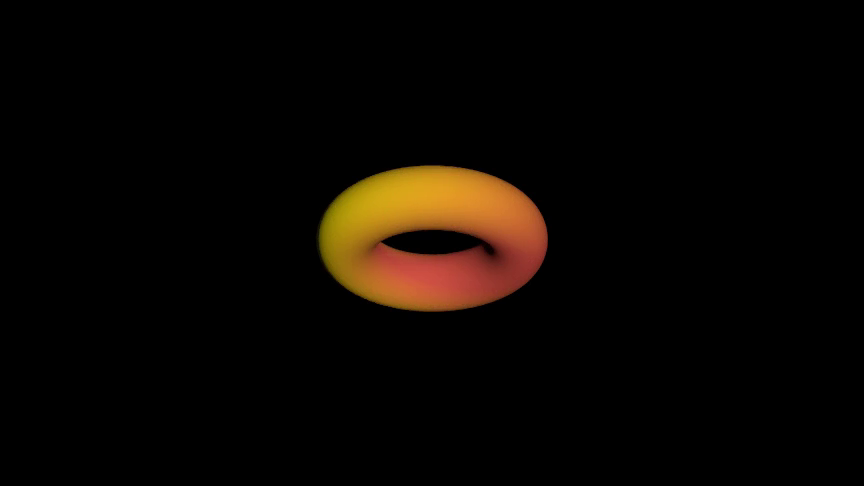
A torus lit from the middle of its texture domain:
Example: Example1GetRadialGradient 
from algan import *

Torus(
    ring_radius=1.4,
    tube_radius=0.5,
    color_texture=get_radial_gradient((YELLOW, RED_E)),
).rotate(60, RIGHT).spawn()

Scene.save_video()
- get_stripes(colors=(Color([1., 1., 1., 0., 1.]), Color([0., 0., 0., 0., 1.])), resolution=8, *, angle=0.0, texture_resolution=None)[source]
Build a texture of parallel stripes, as an
[W, H, 5]color image.- Parameters:
colors – The colors to cycle through across the stripes, or a single color for a plain fill. Each is an Algan
Color, a named constant such asBLUE, or anythingColor()accepts. Defaults to(WHITE, BLACK).resolution (int) – How many stripes the pattern has across the whole domain. Defaults to
8.angle (float) – Direction the stripes run, in degrees, measured from the
vaxis towardsu. Defaults to0, giving stripes that run alongvand band acrossu– lines of longitude on a sphere.90gives the other axis.texture_resolution (int | tuple[int, int] | None) – Size of the generated image in texels, as
(width, height)or one number for both. Defaults toNone, meaning 32 texels per stripe, bounded to64–1024per axis.
- Returns:
The texture, shape
[W, H, 5].- Return type:
- Raises:
AlganConfigurationError – If
colorsholds no colors, or a count is below its minimum.
See also
get_checkerboard()Squares rather than bands.
Examples
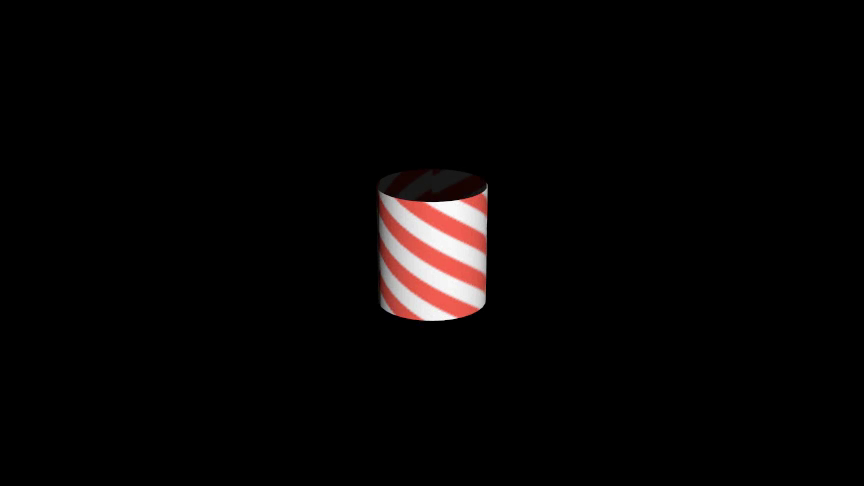
A barber-pole cylinder:
Example: Example1GetStripes 
from algan import *

Cylinder(
    radius=0.9,
    height=2.0,
    color_texture=get_stripes((RED, WHITE), resolution=12, angle=30),
).rotate(20, RIGHT).spawn()

Scene.save_video()