Images and Textures
Algan can texture 3-D surfaces with images or numpy/torch arrays, and use texture maps to drive material properties like roughness, reflectivity, index of refraction, and surface normals.
There are four ways to use images in Algan:
ImageMob: A flat, textured plane for displaying photos or graphics on screen.
**
Surfacetexture maps:** Per-texel material and color maps sampled inside the GPU raytracer.2-D shape texture grids: Color gradients and image fills across 2-D shapes (
Circle,Square, text glyphs).Background images: A static backdrop behind your entire scene (see Backgrounds and Post-Processing).
Note
The Three.js material classes accept Three.js’s image slots (map,
normalMap, roughnessMap, …) for API parity but do not sample them.
Texturing goes through Surface, as described below.
Showing an Image
ImageMob takes an image file path or an RGBA array and gives you a flat
textured surface:
Example: TexturesImageMob 
from algan import *

photo = ImageMob('world_map.png').scale(2).spawn()
with Seq(runtime=2):
    photo.rotate(30, UP)
    photo.rotate(-30, UP)

Scene.save_video()
Image paths are resolved against the working directory and then against the
directory holding your script, so an image sitting beside your .py file loads
regardless of where you launch Python from. The same resolution applies to
set_background(),
set_environment_map() and
Model3D.
Instead of a path you can pass a [H, W, 4] or [H, W, 5] tensor, which is how
you texture something with data you computed rather than loaded.
Important
The per-material texture arguments on Surface
(color_texture, roughness_texture, normal_texture and the rest)
take tensors only, in the [W, H, C] (u, v) layout. Handing one a
file path raises TypeError. Load the
image yourself first, with get_image(), or use
set_color_by_image(), which takes a
path and orients the image onto the surface’s (u, v) axes for you.
The Three.js-style material slots are the other door and take the other
thing: MeshStandardMaterial(map=..., normal_map=..., roughness_map=...,
metalness_map=...) accepts a path or an [H, W, C] image and orients it
for you, and set_material()
forwards it here. Its map lands on color_texture and animates like
any other assignment to it; the property maps it forwards are static. See
Shaders and Materials.
Reshaping a textured surface
ImageMob is itself a Surface, so you can change its shape
while it keeps its texture. That is how you wrap a map onto a globe:
Example: TexturesReshaping 
from algan import *

# Start as a flat plane colored by our image file.
world = ImageMob('world_map.png').scale(2).spawn()
world.wait()

with Seq(runtime_per_part=5, easing=easings.identity):
    for shape in (Sphere(radius=2, add_to_scene=False),
                  Cylinder(radius=1, height=2, add_to_scene=False)):
        # Change the surface shape; the texture comes along.
        world.set_shape_to(shape)
        world.rotate(360, UP)
        world.rotate(360, RIGHT)

Scene.save_video()
set_shape_to() re-maps the surface’s intrinsic (UV) coordinates onto
a new shape, and the texture follows them. Any Surface works as a
target. Build the target with add_to_scene=False, as above: it only says what
shape to become and is never drawn, and without the flag Algan registers it as a
Mob you meant to show and warns that you never spawned it.
Note
A low-resolution surface is automatically resized to a higher-resolution grid when the target shape needs one, so morphing a flat plane into a sphere does not come out faceted.
Texturing Any Surface
Surface and everything built on it (Sphere,
Cylinder, Cone, Torus, your own surface functions)
take texture arguments at construction:
Example: TexturesColorTexture 
from algan import *
import torch

# A 16x16 checkerboard as an RGB + glow + opacity texture.
checker = torch.zeros(16, 16, 5)
grid = (torch.arange(16).view(-1, 1) + torch.arange(16).view(1, -1)) % 2
checker[..., 0] = grid          # red channel
checker[..., 2] = 1 - grid      # blue channel
checker[..., 4] = 1.0           # opacity

globe = Sphere(radius=1.5, color_texture=checker).spawn()
with Seq(runtime=3):
    globe.rotate(360, UP)

Scene.save_video()
Procedural patterns
You rarely have to write that array out. procedural_textures
builds the usual patterns for you –
get_checkerboard(),
get_stripes(),
get_grid_lines(),
get_polka_dots(),
get_bricks(),
get_gradient(),
get_radial_gradient() and
get_noise() – each returning the
same [W, H, 5] image the argument takes:
Example: TexturesProceduralCheckerboard 
from algan import *

globe = Sphere(
    radius=1.5, color_texture=get_checkerboard((RED, WHITE), resolution=8)
).spawn()
with Seq(runtime=3):
    globe.rotate(360, UP)

Scene.save_video()
Because the pattern lives in the map rather than in the mesh, its detail has
nothing to do with how finely the surface is tessellated: a flat plane sampled
at two vertices per axis carries the same checkerboard as the sphere above.
Each generator takes the count of pattern cells and, separately, a
texture_resolution in texels; the defaults spend 32 texels on a cell to
keep its edges hard when viewed close up. Distant or reflected UV textures use
mipmaps with trilinear filtering by default, for colour, material and normal
maps in both the hybrid renderer and path tracer. The footprint accounts for
UV density, viewing angle and accumulated ray distance, without tracing extra
rays. Colour filtering is performed in linear light with coverage-aware edges.
To compare with the old bilinear-only sampler, set
SETTINGS.raytracing.texture_antialiasing = False before rendering. The
setting takes effect at the next prepared frame batch. Mipmaps cost extra
texture memory and batch preparation time; the filter is isotropic and can
soften highly oblique textures. It does not filter environment maps or add
geometric anti-aliasing.
The available texture arguments:
Argument |
Shape |
What it drives |
|---|---|---|
|
|
Base color: red, green, blue, glow, opacity. |
|
|
How blurred reflections are, per texel. |
|
|
Metalness, per texel. |
|
|
Index of refraction, per texel. |
|
|
Tangent-space normal map; perturbs the shading normal. |
|
|
Glow strength, per texel. |
Color and the three material property maps are sampled bilinearly per fragment, inside the ray tracing kernel, for both flat and curved (PN) triangles. A property without a map keeps the ordinary per-vertex value, and maps of different resolutions are resampled to a common one.
Wrapping around a closed surface
On a surface that closes on itself – a Sphere, a Cylinder
and a Cone close around u, a Torus around both – the
map wraps: the last column of texels is a neighbour of the first, and Algan
blends across that meridian the same way it blends anywhere else. So the
checkerboard above meets itself where the sphere comes back around, and a map
whose two edges are meant to join (an equirectangular world map, a tiling
pattern) joins seamlessly.
Each texel column therefore spans exactly 1 / W of the way around, not
1 / (W - 1): with a 16-wide map, column 0 is centred at the seam and column
8 faces the other side, whichever direction the surface is spun. Algan works out
which axes close from the geometry, so a surface of your own written with
Surface and a coord_function wraps too, without saying so.
An open surface – a flat plane, an ImageMob, the pole-to-pole
v axis of a sphere – has no far side to blend into, so its first and last
texels sit exactly on its two edges and the edge value carries beyond them.
Building a map from world positions
A texture is written in (u, v), which is the wrong language for a map whose
content depends on where the surface is: “everything above the equator”,
“redder the further from the origin”. get_texture_locations()
translates – it hands back the world position of every texel, laid out exactly
like the map itself, so the map can be written as arithmetic on 3-D coordinates:
Example: TexturesByWorldPosition 
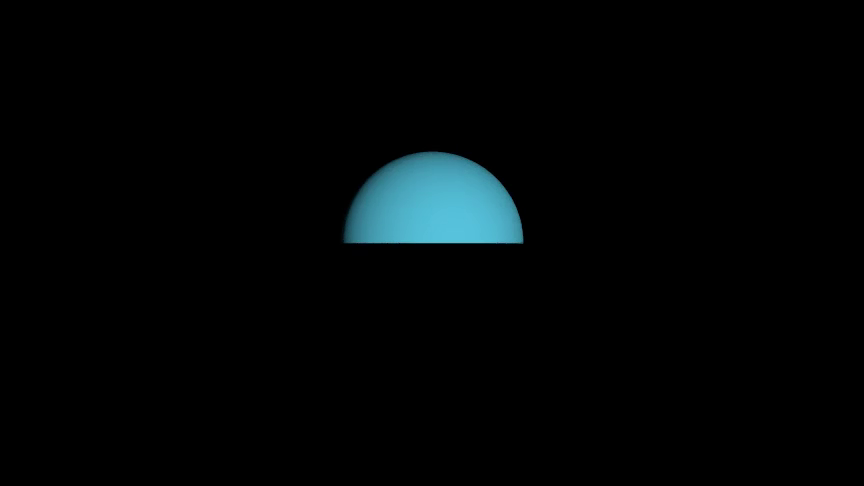
from algan import *

globe = Sphere(radius=1.5)
xyz = globe.get_texture_locations((256, 256))
globe.color_texture = BLUE.mult_opacity((xyz[..., 1:2] > 0).float())
globe.spawn()

Scene.save_video()
The positions come from the surface’s current mesh, not from its coordinate
function, so they are right for a shape that has been deformed, morphed with
set_shape_to(), or built by assigning
surface.grid.location directly. They also account for the wrapping above and
for the curvature between grid vertices, which is what keeps a boundary like the
one in that example straight rather than scalloped once the map out-resolves the
grid.
The resolution argument is what sizes a map that does not exist yet, as
above. Leave it out once the surface has a color_texture and you get that
texture’s resolution; the material maps are constructor arguments, so size those
from a surface of the same shape:
probe = Sphere(radius=1.5)
height = probe.get_texture_locations((128, 128))[..., 1:2]
sphere = Sphere(radius=1.5, roughness_texture=(height / 1.5).clamp(0, 1))
Because a texture is carried in (u, v), colors derived this way travel with
the surface when it later moves: they record where it was when you asked. Take
the positions again inside an
add_updater() callback for a
texture that stays locked to world space.
Animating a texture
A texture map is an ordinary animatable attribute, so you animate it the way you animate a color or a location: assign a new one. Algan interpolates the old texture to the new one per texel over the current context’s runtime.
Example: TexturesAnimatedTexture 
from algan import *
import torch

def stripes(horizontal):
    index = torch.arange(32)
    bands = (index.view(-1, 1) if horizontal else index.view(1, -1)) // 4 % 2
    texture = torch.zeros(32, 32, 5)
    texture[..., 0] = bands.expand(32, 32)          # red
    texture[..., 2] = 1 - bands.expand(32, 32)      # blue
    texture[..., 4] = 1.0                           # opacity
    return texture

globe = Sphere(radius=1.5, color_texture=stripes(True)).spawn()
with Seq(runtime=3):
    globe.color_texture = stripes(False)   # cross-fades, texel by texel

Scene.save_video()
Reading a texture back gives the same [W, H, 5] image you assigned, so a new
one can be arithmetic on the old:
globe.color_texture = globe.color_texture * 0.5 # cross-fades to half brightness
It comes back as a Color – one per texel – so
everything you can do to a color applies to a whole map:
globe.color_texture = globe.color_texture.mult_opacity(0.5)
Its five channels are what the plain multiplication above covers, dimming opacity
and glow along with the color. Reach for one of them through .rgb, .glow
or .opacity and assign the result back – the read is a copy, so writing into
it alone changes nothing:
texels = globe.color_texture
texels.rgb = texels.rgb * 0.5
globe.color_texture = texels
Normal maps
A normal_texture is a tangent-space normal map with components in [-1, 1]:
x along increasing u, y along increasing v, z along the smooth surface
normal, so (0, 0, 1) means “unperturbed”.
Important
Under the default vertex-shaded pipeline, lighting is baked at the vertices, so a normal map only affects things evaluated per fragment: mirror reflections, refraction, ray-traced shadows, and fragment shading. If a normal map appears to do nothing to the diffuse shading, that is why – see Shaders and Materials.
Glow maps
glow_texture is the exception to the per-fragment rule: glow is consumed by the
glow accumulator per vertex, so the map is baked down to the surface grid
resolution. Raise grid_width / grid_height if you need more detail from it.
That bake is also the exception to the wrapping above – it lands the map’s two
edges on the same grid column of a closed surface, so a glow map whose edges do
not already agree shows its seam. Make the first and last column of a
glow_texture match if you need it to wrap.
Coloring a 2-D Shape
Algan’s 2-D shapes – Square, Circle, Polygon,
Line, the glyphs of Text and Tex – are not
meshes. They are cubic bezier circuits (BezierCircuitCubic), evaluated
analytically by the renderer, so there are no vertices to hang colors off.
Instead a circuit carries a texture grid: a rectangular grid of color samples laid across the shape’s own frame, which the renderer interpolates bilinearly per fragment. It defaults to a single texel – one flat color, which is all a shape needs most of the time – so painting anything across a shape starts by asking for a grid:
Example: TexturesCircuitGradient 
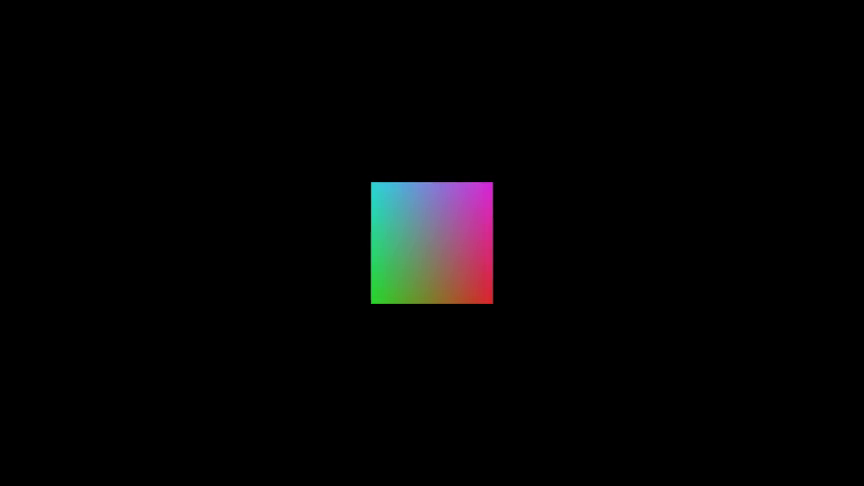
from algan import *
import torch

square = Square(grid_width=64, grid_height=64, stroke_width=0)
square.set_color_by_function(
    lambda uv: torch.cat((uv[..., :1], 1 - uv[..., :1], uv[..., 1:]), -1)
)
square.spawn()

Scene.save_video()
grid_width and grid_height are the number of color
samples along each axis, and they are the resolution of everything painted on the
shape. Both default to 1; giving only the width squares the grid up.
The (u, v) domain
set_color_by_function() hands your function a
[..., 2] tensor of (u, v) coordinates – the same convention
Surface uses, so a color function written for one works on the other.
u runs from 0 to 1 along the circuit’s first basis row and v along its
second, which for an upright 2-D shape means u left to right and v top to
bottom. Return RGB, RGBA, or Algan’s five-channel RGB + glow + alpha; the
function is called once on the whole grid, so write it with tensor operations.
Note
Both basis rows are as long as the distance from the circuit’s centre to its
furthest control point, so the domain covers the square that circumscribes
the shape. A Square therefore occupies the middle of it rather
than all of it: a gradient across u has already run through part of its
range by the time it reaches the square’s left edge, and finishes the rest
beyond its right one. get_base_grid() returns the
grid if you want to look at it.
Painting an image on a shape
set_color_by_image() takes the same paths and arrays
ImageMob does and resamples them onto the grid, with the image’s top
left at (u, v) == (0, 0):
Example: TexturesCircuitImage 
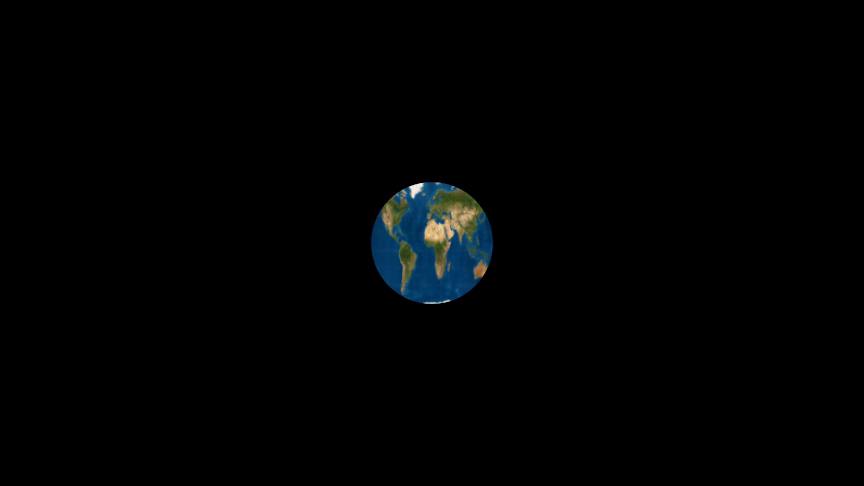
from algan import *

circle = Circle(grid_width=128, grid_height=128, stroke_width=0)
circle.set_color_by_image('world_map.png')
circle.spawn()

Scene.save_video()
Important
A circuit has no separate texture map: the texture grid is the
resolution. That is the difference from
set_color_by_image(), which keeps
the image at its own resolution however coarse the surface’s grid is.
Both methods are recorded as animations, like any other attribute write, so the colors cross-fade over the current context’s runtime:
Example: TexturesCircuitCrossFade 
from algan import *
import torch

def cool(uv):
    return torch.cat((torch.zeros_like(uv[..., :1]), uv[..., 1:],
                      1 - uv[..., 1:]), -1)

def hot(uv):
    return torch.cat((torch.ones_like(uv[..., :1]), 1 - uv[..., 1:],
                      torch.zeros_like(uv[..., :1])), -1)

square = Square(grid_width=64, stroke_width=0).scale(2)
square.set_color_by_function(cool)
square.spawn()

with Seq(runtime=2):
    square.set_color_by_function(hot)   # cross-fades from whatever it was

Scene.save_video()
On a filled circuit these color the fill and leave stroke_color alone. On an
unfilled one, where the stroke is all there is, they color the stroke. And on a
multi-circuit Mob (e.g. a Text, a Tex), which take the same
grid arguments and pass them down to their packed glyphs, each circuit is
colored over its own frame, so the pattern repeats per glyph:
Example: TexturesTextGradient 
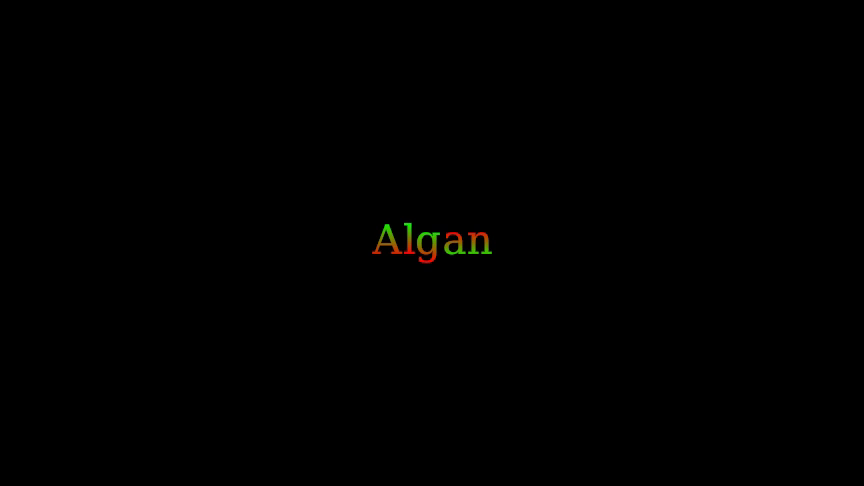
from algan import *
import torch

text = Text('Algan', grid_width=16, grid_height=16)
for glyph in text.character_mobs:
    glyph.set_color_by_function(
        lambda uv: torch.cat(
            (uv[..., 1:], 1 - uv[..., 1:], torch.zeros_like(uv[..., :1])), -1
        )
    )
text.spawn()

Scene.save_video()
Coloring along a line
A Line is one-dimensional, and its texture grid follows: its control
points are collinear, so the second basis row is synthesized perpendicular to the
path and carries none of the shape’s extent. grid_height therefore
defaults to a single row and grid_width alone is the number of color
samples along the line.
Line.set_color_by_function
drops the second coordinate to match, handing your function a single t
running from 0 at get_start() to 1 at get_end():
Example: TexturesLineGradient 
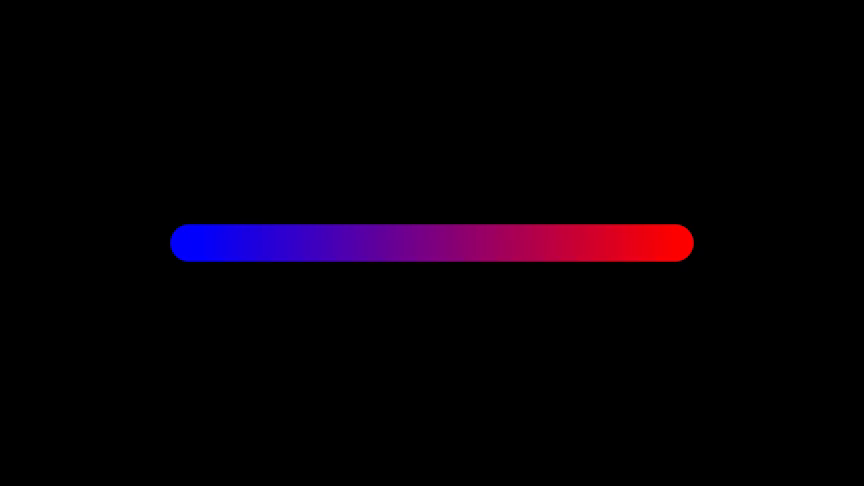
from algan import *
import torch

line = Line(LEFT * 4, RIGHT * 4, stroke_width=30, grid_width=64)
line.set_color_by_function(
    lambda t: torch.cat((t, torch.zeros_like(t), 1 - t), -1)
)
line.spawn()

Scene.save_video()
Note
A straight line’s frame is pinned to its geometry: the first basis row
points from the line’s centre toward its start. That is a guarantee, so
t == 1 - u and you never have to work out which end of a line u == 0
sits at.
Choosing a resolution
A surface’s texture detail is limited by two independent things: the resolution of
the image you supply, and (for glow) the surface’s own grid resolution.
Surface sizes its grid automatically between min_grid_resolution and
max_grid_resolution, and dices curved triangles at render time to
render_tolerance_pixels – how far a drawn triangle may sit from the true
surface, in output pixels, so a surface that fills the frame gets more triangles
than one in the distance.
Textures also cost render memory. If a heavily textured scene runs out of it, reduce the texture resolution before reducing anything else; see Performance and Quality.
See Also
The Mob Gallery –
ImageMob,Surfaceand the shapes these textures go on.Importing 3-D Models – imported models bring their own textures and materials.
Shaders and Materials – what each material property does.
Reflections and Glass – the reflection and refraction those maps drive.
Lighting and Shadows – the lights a normal map perturbs.
Backgrounds and Post-Processing – an image behind the whole scene.
Renderer Limitations – which maps are sampled per fragment and which are baked, and what a circuit’s color grid cannot do.
Performance and Quality – what texture resolution costs in render memory.